my WFH setup: what I actually use and why I’ll never go back to a regular office
A cozy and practical work-from-home desk setup, including my ultrawide monitor, mechanical keyboard, Philips Hue lighting, and the things that actually make remote work comfortable.
Published on Happily Indoors | happilyindoors.com
This post may contain affiliate links, which means I may earn a small commission if you purchase through them,
at no extra cost to you. I promise, I only share things I actually use or love 💕
I’ve been working from home since 2020, and before that, for a full year back in 2014. So when I tell you I’ve had time to figure out what a good home office actually looks like, I mean it. I’ve also had time to figure out what a bad one looks like, because I lived through that phase too.
The bad phase involved a kitchen table, a laptop balanced on a stack of books, overhead lighting that gave everything the energy of a DMV waiting room, and the general chaos of a person who thought “I just need a surface” would be enough. It was not enough.
What follows is my actual current setup: not aspirational, not sponsored, just what I use every day and why it works for me. Some of it is a little extra. I have no regrets.
💻
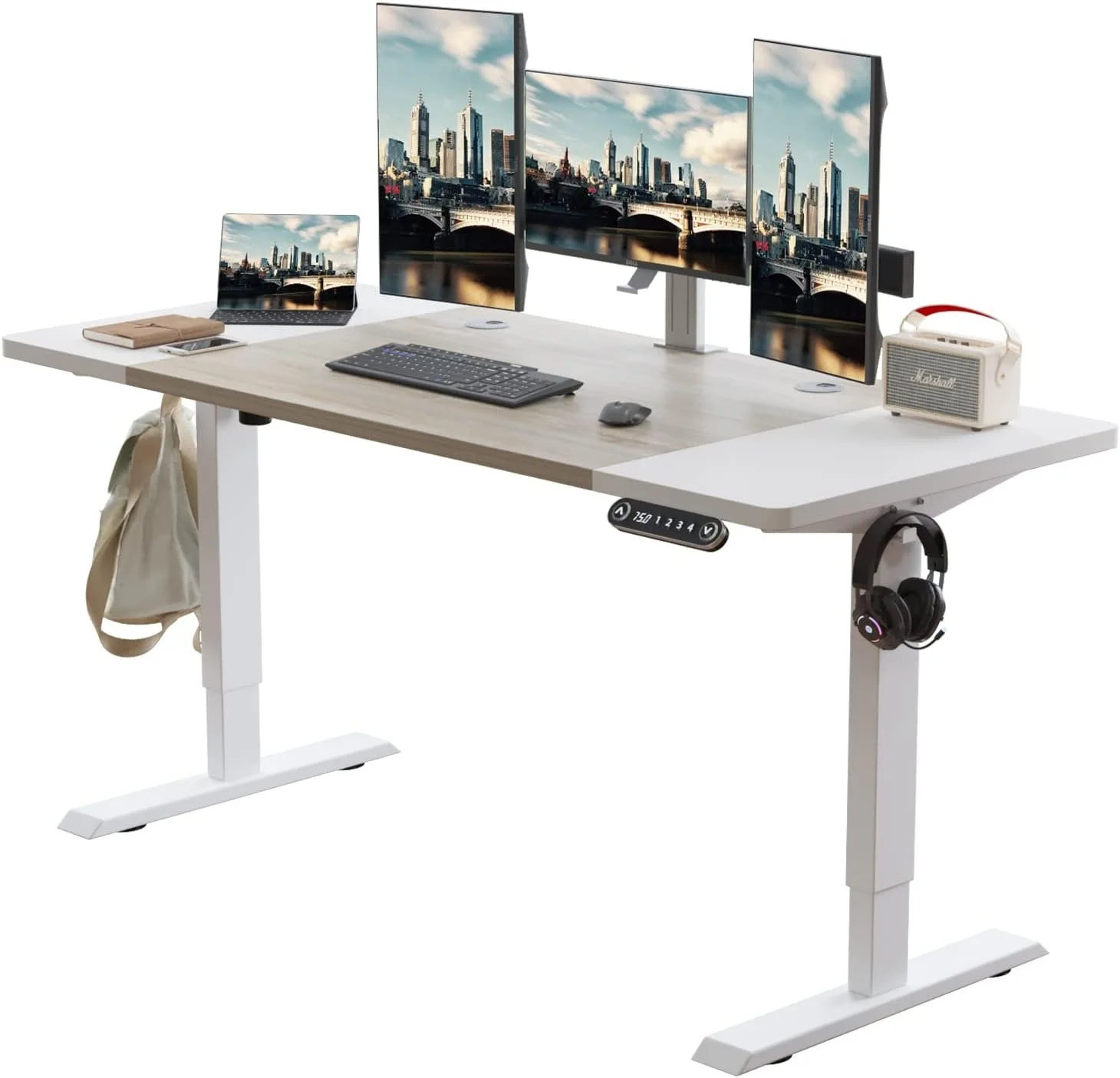
Radlove Electric Height Adjustable Standing Desk, 63x 30 Inches
the desk: depth is everything
My desk is a Radlove electric standing desk in white and oak, 63 inches wide by 30 inches deep and it changed my working life in a way I did not expect when I ordered it. It is technically a standing desk, which I use on occasion when I feel like it, and not because I have strong opinions about standing desks. I do not. I bought it for the surface. The feature I care most about isn’t the storage or the style: it’s the depth.
A deep desk means my monitor sits far enough back that I’m not hunching toward a screen twelve inches from my face. It means I can rest my forearms flat on the surface while I type, which sounds small but is the difference between feeling fine at 5pm and feeling like I’ve been in a car for eight hours. It also means there’s room on both sides: one side for actual work stuff (laptop stand, papers, pens I probably don’t need but can’t bring myself to remove), and one side for the 3D printed fidget clickers I definitely don’t need but absolutely keep within reach.
If you’re shopping for a desk and you’re tempted by something slim and minimal because it photographs well, I’d gently push back on that. You’re going to be at this desk for a significant portion of your waking life. Give yourself room.
💻
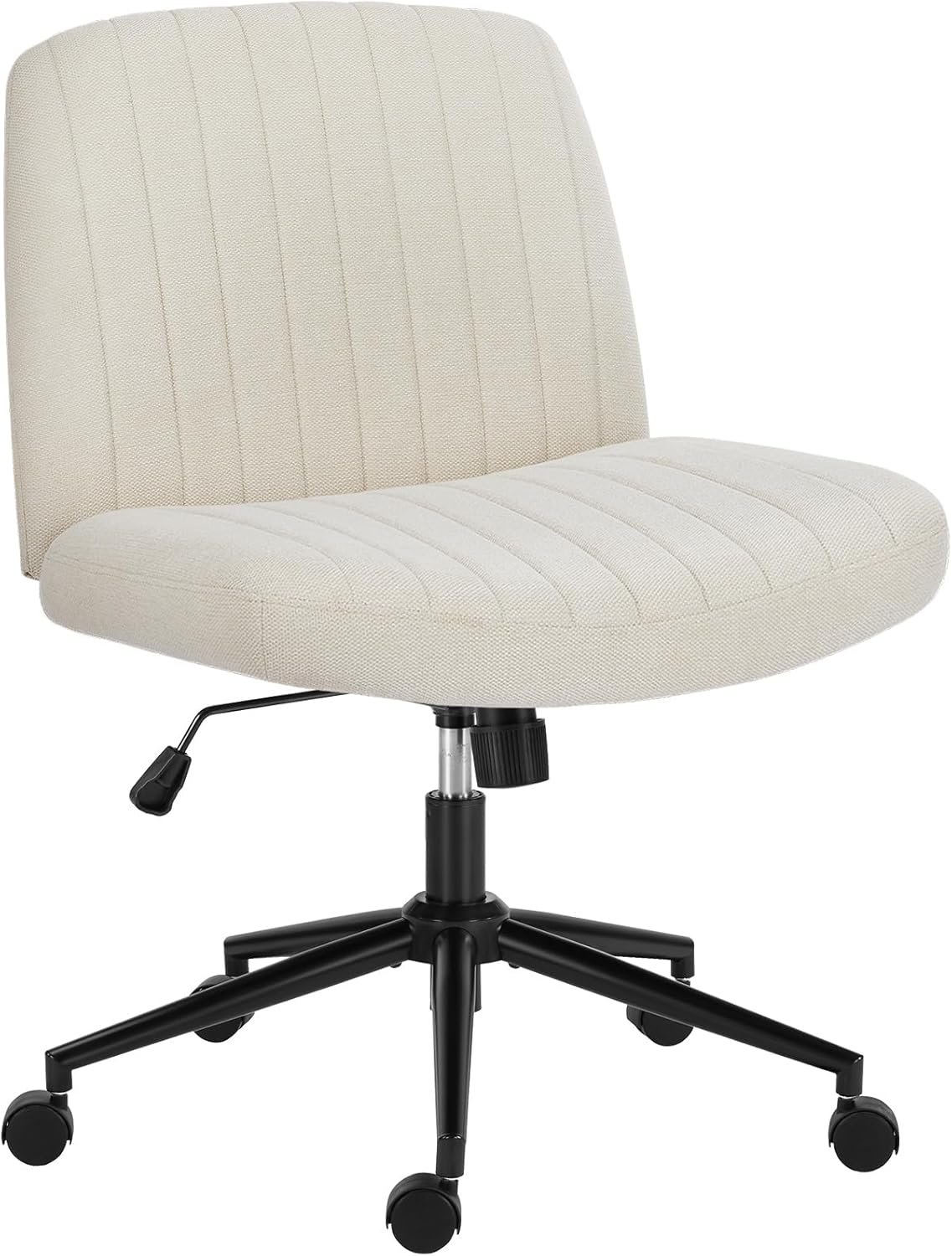
OLIXIS Criss Cross Legged Chairs Armless with Wheels
the chair: wide enough to sit like a human being
My chair is a furry beige accent chair and yes, I know that’s not what most WFH setup guides recommend. Most WFH setup guides recommend an ergonomic task chair with lumbar support and adjustable armrests and a mesh back and about forty-seven other features.
Here’s my counterpoint: I sit cross-legged when I work. I always have. Every “properly ergonomic” task chair I’ve tried has been incompatible with this fact about myself. They’re designed for people who sit with their feet on the floor like a reasonable adult, which I am not.
My chair is wide enough that I can sit however I want. It’s comfortable in the way that matters to me: I can stay in it for hours without feeling like I need to escape it. It also happens to look nice, which is a bonus when Kellie decides to make a guest appearance on video calls and the camera catches my entire workspace.
The lesson here isn’t “buy an accent chair.” The lesson is: figure out how you actually sit and buy for that, not for how you think you’re supposed to sit.
💻
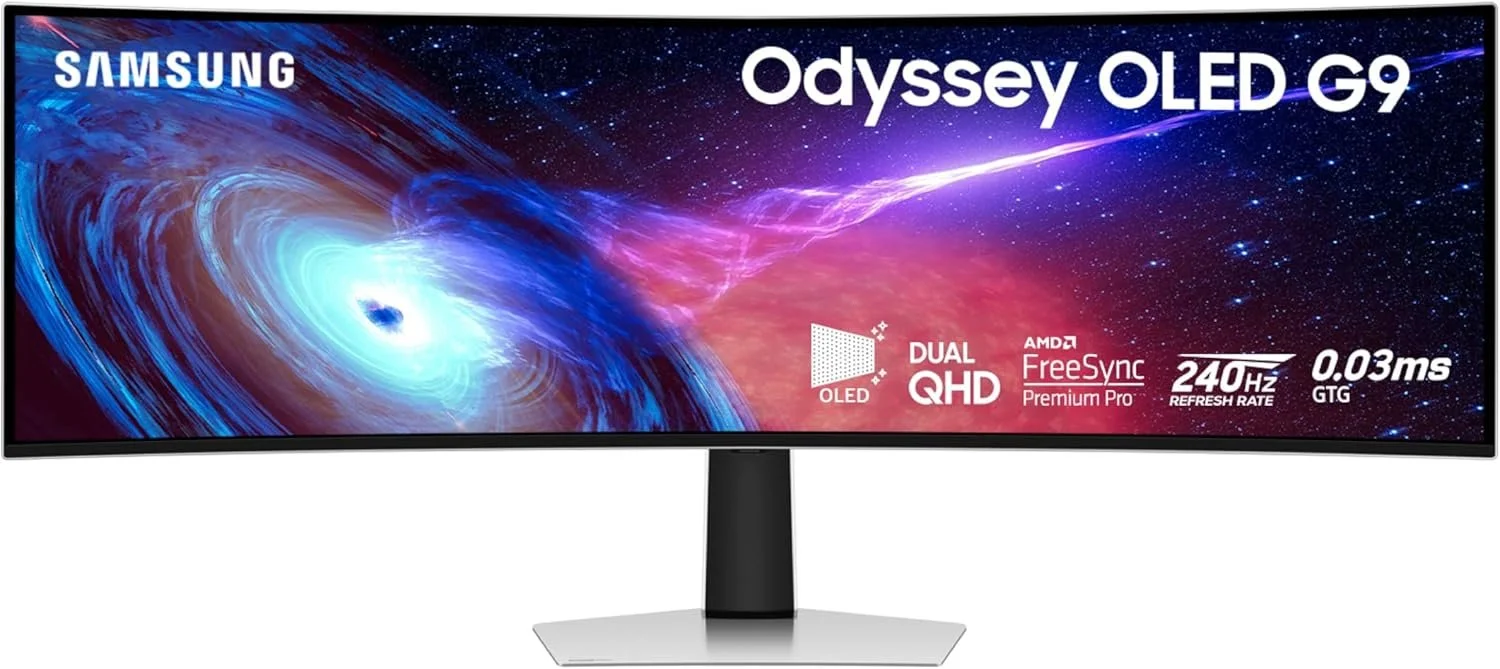
Samsung 49" Odyssey G93SC Series Curved Gaming Monitor
the monitor: the upgrade that made everything else feel like a downgrade
I have a Samsung Odyssey G9 ultrawide monitor, a 49-inch curved widescreen, and switching to it from a dual monitor setup was the single biggest quality-of-life improvement I’ve made to my workspace. I’m not being dramatic. I’m a little dramatic, but not about this.
With two monitors, there’s always a seam. A physical gap between screens that your eye has to cross every time you move between them. Your neck ends up slightly rotated one direction or the other depending on which screen you’re using most. And moving windows between monitors has this specific friction that seems minor until you realize you’ve been doing it fifty times a day.
The ultrawide eliminates all of that. One continuous screen, everything visible at once, no seam, no neck rotation, no window migration. I keep my main work on one side, reference materials or communication tools on the other, and my brain doesn’t have to context-switch in the same way. It sounds like a small thing. It isn’t.
If you’re currently running dual monitors and you’ve been curious about making the switch, I’d say do it. Clear some desk space first. You’ll need it.
💻
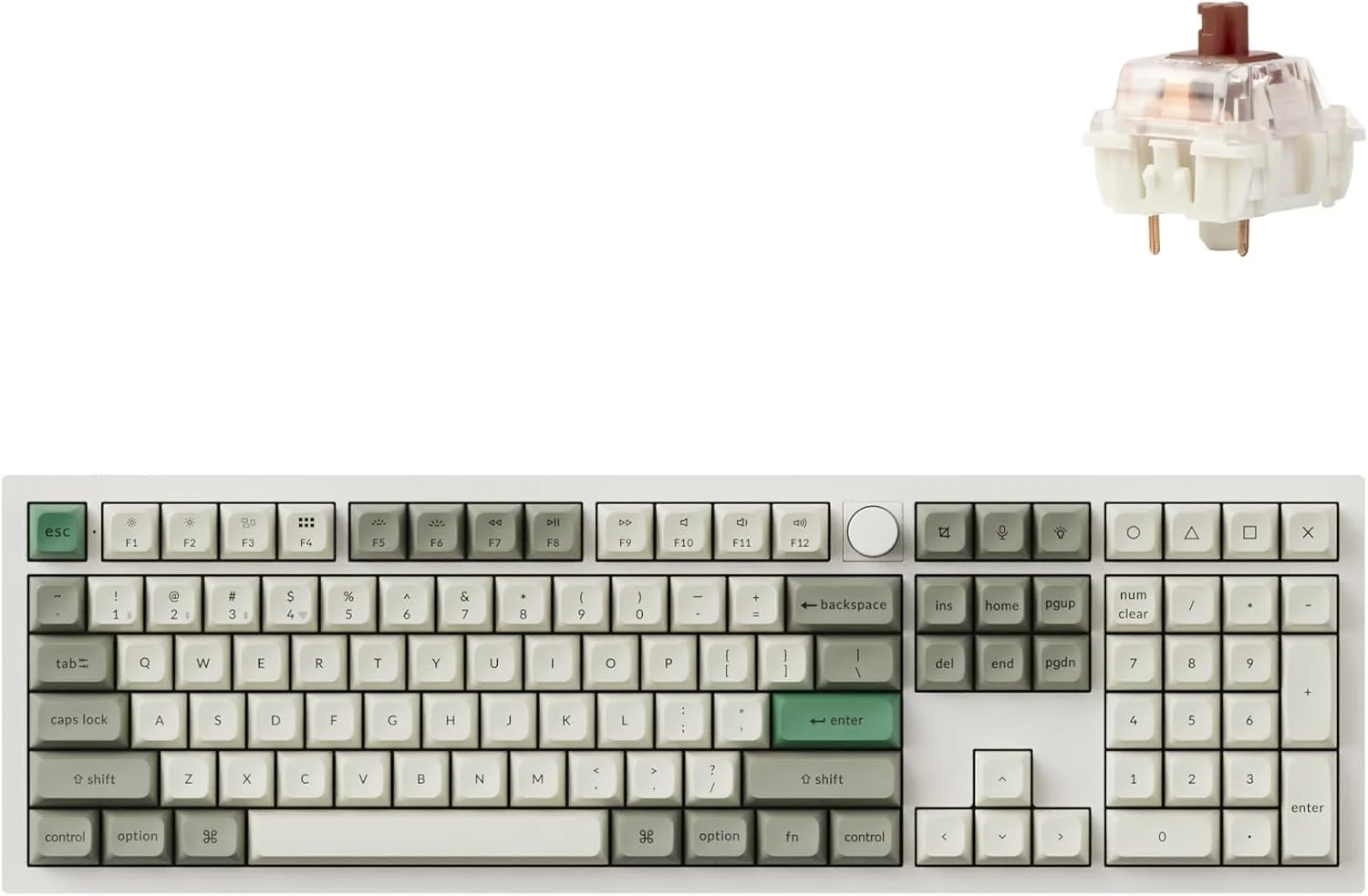
Keychron Q6 Max QMK/VIA Bluetooth Wireless
the keyboard: yes, it matters, no, I won’t apologize
I have a large personal collection of keyboards at home but for work, I primarily use a Keychron Q6 QMK with Gateron G Pro Brown switches and I am fully aware that this sentence means nothing to most people and means everything to a very specific subset of people who are probably nodding with recognition.
Here’s the non-enthusiast version: it’s a full-size mechanical keyboard with a solid aluminum body, tactile switches (meaning there’s a satisfying bump when a key registers, without being loud enough to bother anyone on a call), and enough customization options that I’ve spent more time than I’d like to admit tweaking it. The typing experience is genuinely better than any membrane keyboard I’ve used. It’s the kind of thing where once you try it, going back feels like typing through a pillow.
I also have a small collection of 3D printed fidget clickers that live on my desk, because I have a 3D printer and a tendency to make things with it, and apparently what I wanted to make was small satisfying objects I could click while thinking. They serve no professional purpose and I use them constantly.
💻
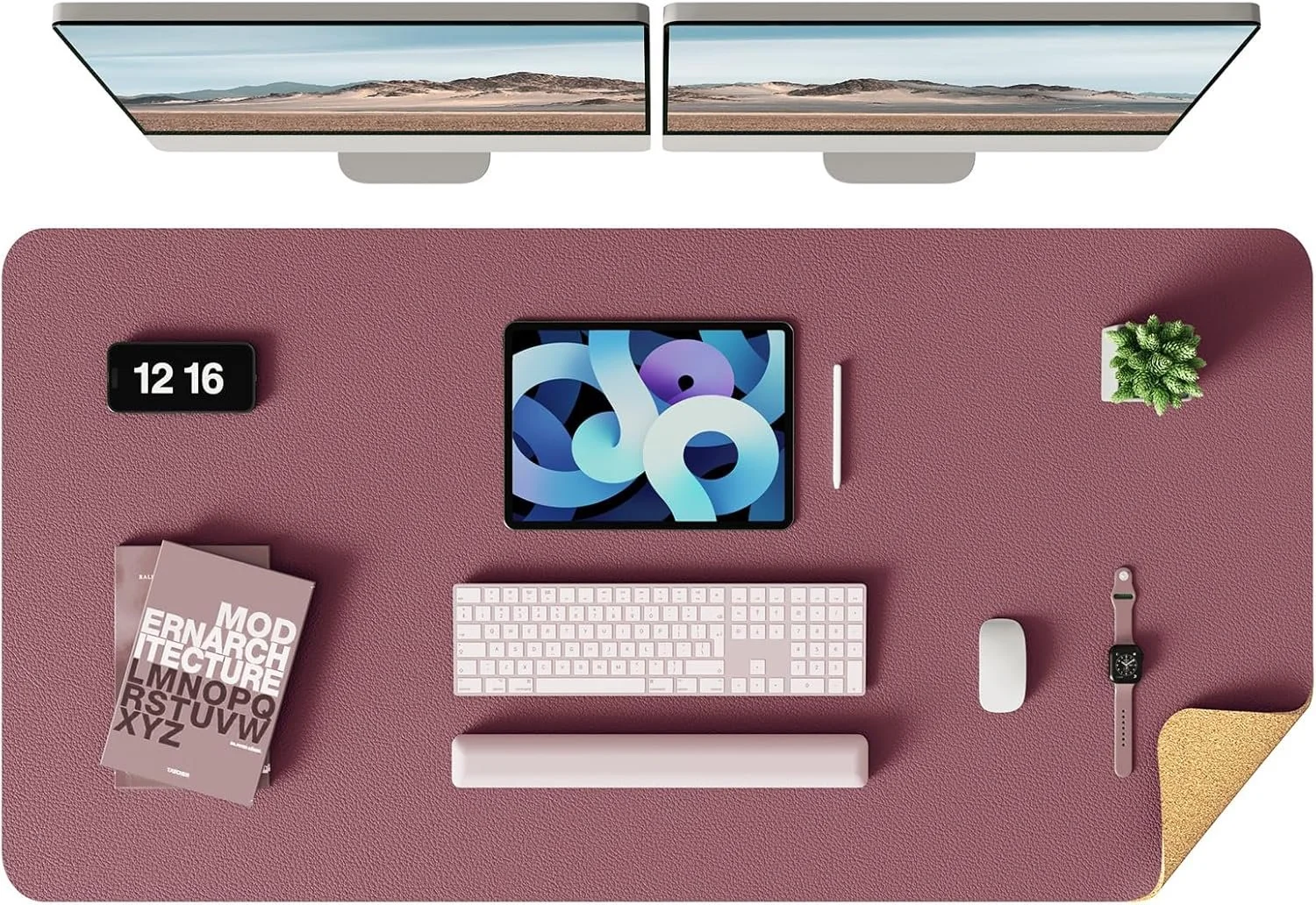
YSAGi Double-Sided Desk Pad, Leather Desk Mat, Large
the desk pad: deeply practical, surprisingly important
I have a leather desk pad in what I can only describe as dusty-core pink, a muted, warm pink that falls somewhere between blush and rose and manages to not look juvenile about it.
I got it for aesthetic reasons and kept it for practical ones: it wipes clean. Coffee spills, which happen, can be addressed with a paper towel rather than resulting in a permanent reminder of the morning I wasn’t paying attention. It also gives the desk a unified surface that makes everything sitting on it look more intentional, even when it isn’t.
If your desk currently looks like it was arranged by someone who made seventeen small decisions without a plan, a desk pad is a fast way to make it look like you had one.
💻
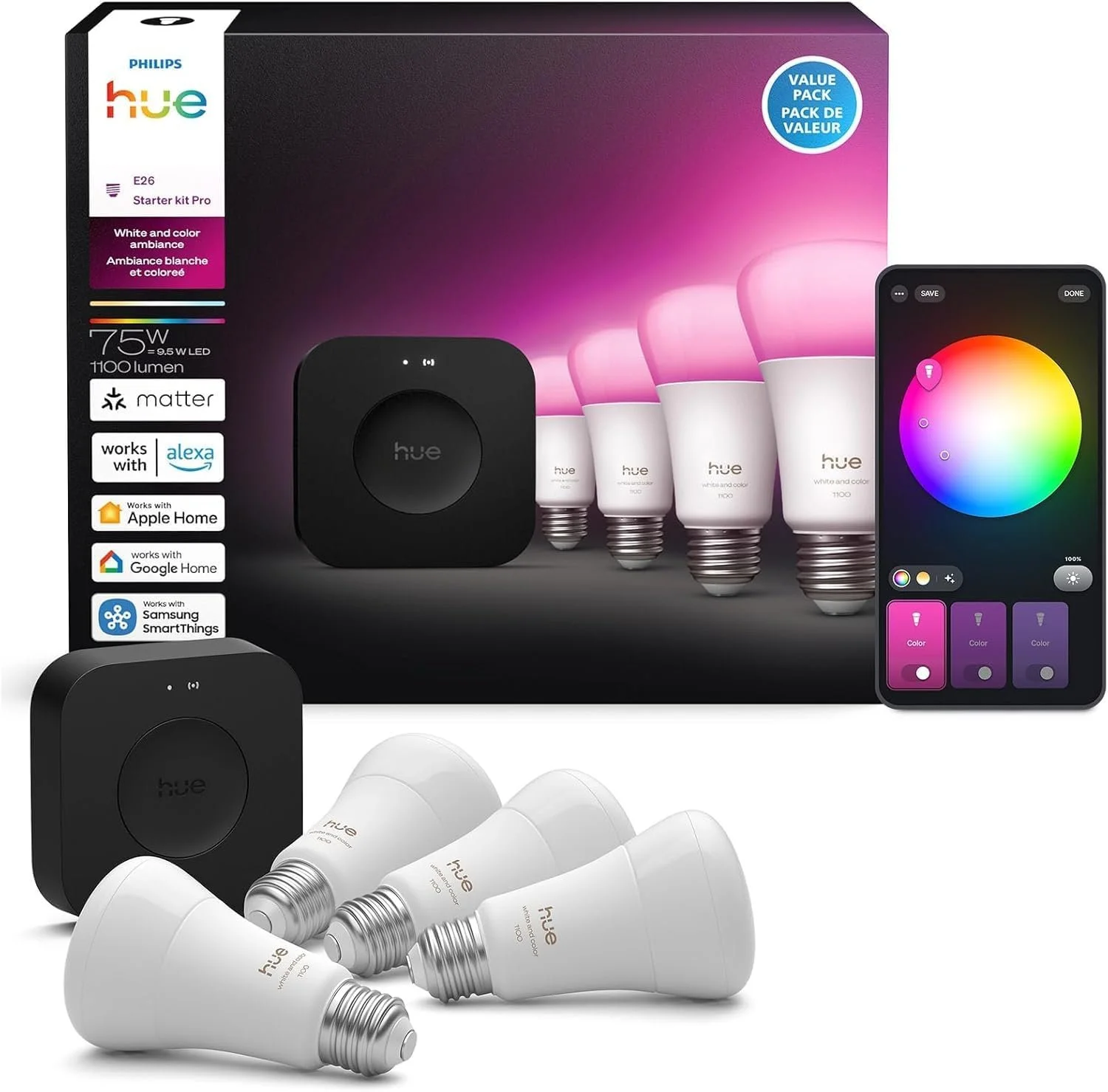
Philips Hue Starter Kit: Bridge Pro + 4 A19 E26 Smart Bulbs
the lighting: Philips Hue changed the game
My office has recessed lighting fitted with Philips Hue smart bulbs, plus a set of Hue Play Light Bars positioned behind my monitor. This is the setup I judge all other office lighting against now, and everything else falls short.
The smart bulbs mean I can dial in exactly the color temperature and brightness I want for any given part of the day: cooler and brighter in the morning when I need to feel awake, warmer in the afternoon when I’m deep in work and don’t want to feel like I’m being interrogated. The Play Light Bars behind the monitor add a glow that reduces eye strain over long sessions. It also just looks nice, which isn’t nothing when you’re spending eight or more hours a day in a space.
The bonus: you can change the whole vibe of the room in about three seconds. Deep focus mode. End of day wind-down mode. “I’m on a video call and need to look like I have my life together” mode. It’s a small thing that makes a noticeable difference.
💻
the honest pain point: storage, or the lack of it
My desk has no drawers. This is the thing I would change if I could.
Everything that should live in a drawer currently lives on the desk surface. Random charging cables. Pens I use twice a year. The fidget clickers. A notepad I write one thing on and then forget about. Small objects that arrived at my desk with purpose and have since lost it.
I’ve compensated with a small rolling cart tucked beside the desk, which helps but is not the same as drawers built into the desk itself. If you’re in the market for a new desk: get drawers. Future you will be grateful.
💻
the unexpected coworkers
Riker (German Shepherd mix, almost 3, extremely convinced the yard needs to be monitored at all times) and Kira (Husky, just turned 1, operating at approximately 200% energy capacity at any given moment) are part of my WFH reality in the sense that they’re always here and always have opinions about things.
On days when they need to be outside and I need to be accessible to them, I’ll move to the dining room table, closer to the back door, better sightlines to the yard. The setup is less optimized there, but it works, which is the point of a laptop.
Kellie (tuxedo cat, 14 years old, deeply unbothered by everything except strangers) has claimed my office as part of her domain and will join video calls without warning or apology. She walks across the keyboard. She sits in front of the camera. She stares directly into the lens with the energy of someone who has something to say but has decided not to say it. My colleagues have come to expect her. Some of them ask about her when she’s not there.
I did not plan for pets to be a feature of my WFH setup. They are, nonetheless, a feature of my WFH setup.
💻
the short version, for the Homies who scrolled here first
A deep desk matters more than it seems. Buy for how you actually sit, not how you’re supposed to. One ultrawide beats two monitors. Good lighting isn’t optional. Get a desk pad if your desk is chaotic. And if you can add any drawer storage, do it: I’m living the consequence of not doing this and I think about it more than is probably healthy.
Your WFH setup should feel like a place you chose to be, not a place you ended up. The difference is real and it shows up every day you sit down to work.
still inside,
sarah ✌🏼
